Freitag, 25. Mai 2012

Taschenlampe - Tiny Flashlight - Free Download

Taschenlampe - Tiny Flashlight


Name: Taschenlampe - Tiny Flashlight
Entwickler: Nikolay Ananiev
Preis: For free at our blog!
Größe: Variiert je nach Gerät
Version: Variiert je nach Gerät
minimale Android Version: Variiert je nach Gerät
Kategorie: Tools
Download: Look at the bottom of the page


Beschreibung:

Unglaublich einfache und dennoch nützliche Taschenlampenanwendung

Eine unglaublich einfache und dennoch nützliche Taschenlampenanwendung, die den Kamerablitz Ihres Geräts als Lichtquelle nutzt.

Tiny Flashlight ist als Taschenlampen-App auf dem Android-Markt zurzeit unschlagbar, denn:

- sie unterstützt den größten Umfang von Geräten mit Kamera-LED (Blitz)
- sie ist die hellste Taschenlampe auf dem Markt, da der Kamerablitz bei Dunkelheit ein äußerst starkes Licht ausstrahlt
- sie bietet eine Auswahl verschiedener Widgets
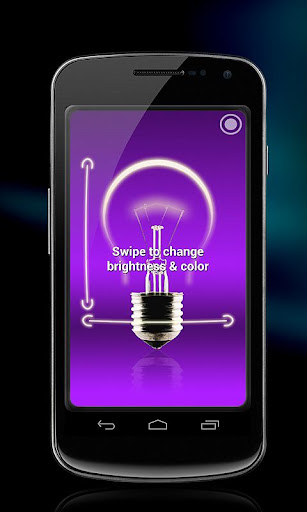
- sie weist vielfältige, attraktive Bildschirmbeleuchtungen auf
- sie umfasst ein Farblicht
- sie bietet den besten Support


Lichtquellen:
==============

* Kamerablitz - nutzt die Kamera-LED (Blitz) Ihres Telefons zum Ausstrahlen von hellem Licht. Beachten Sie, dass einige Geräte keinen Kamerablitz aufweisen. In diesem Fall wird die LED-Taschenlampenfunktion deaktiviert, Sie können jedoch die Bildschirmbeleuchtung verwenden.

* Bildschirmbeleuchtung - normales weißes Bildschirmlicht mit ausreichender Helligkeit für alltägliche Anwendungen. Sie können dies als Hauptoption verwenden, falls Ihr Gerät keine Kamera-LED aufweist oder Sie den Akku sparsam verwenden möchten.

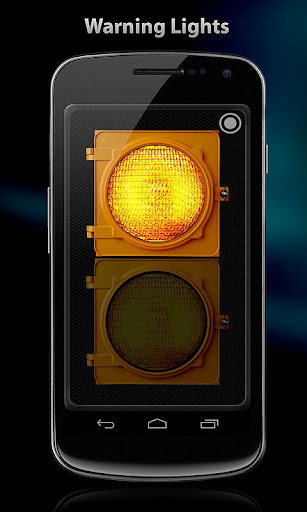
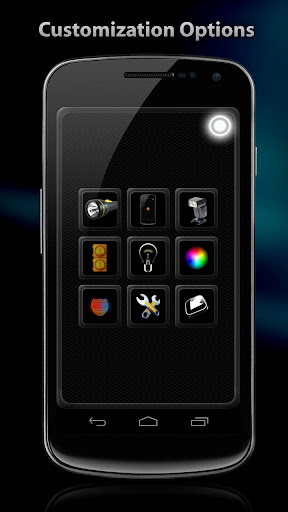
* Warnleuchten, Blaulicht, Farblicht - verschiedene Lichtquellen, die in vielen Situationen nützlich sein können. Helligkeit und Farbe können angepasst werden.


Taschenlampen- Widget:
========

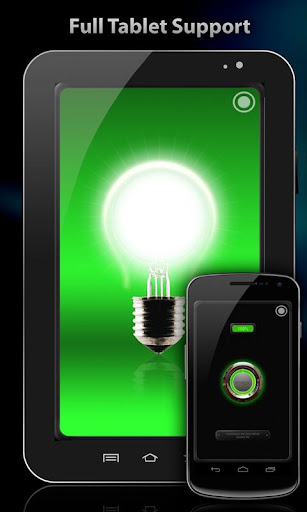
Tiny Flashlight ist eine der wenigen kostenlosen Anwendungen mit einer Auswahl an verschiedenen Widgets auf dem Markt. Fügen Sie ein Widget durch Tippen und Halten auf dem Hauptbildschirm hinzu.


==========
Incredibly simple and yet very useful flashlight application. Will use your device's camera LED as a torch.

Tiny Flashlight is currently the best led flashlight app on the Android Market, because:

- It supports the widest range of devices with camera flashlight (led flash)
- It's also the brightest flashlight / torch on the market, because the camera flashlight emits very intense light in the dark.
- Has different widgets to choose from
- Has great and diverse screen lights
- Has the best support


Schlüsselwörter:
Taschenlampe, Blitzlicht, LED-Blitz, Licht, hell, hellste, Vasaljós, flashlight android, torcia, best apps, Zaklamp


Winamp - Free Download

Winamp


Name: Winamp
Entwickler: Nullsoft, Inc.
Preis: For free at our blog!
Größe: 4,7M
Version: 1.2.12
minimale Android Version: 2.1 oder höher
Kategorie: Musik & Audio
Download: Look at the bottom of the page


Beschreibung:

Der ultimative Media Player für Android.
Höre, verwalte und synchronisiere Musik von deinem Mac & PC auf dein Android Gerät -- Pro Bundle jetzt erhältlich!
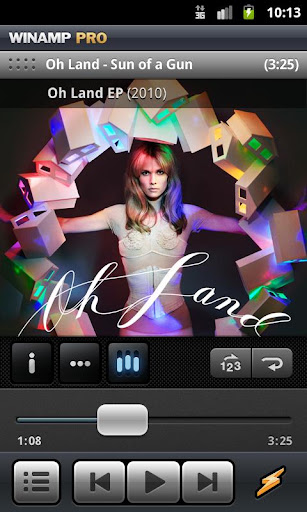
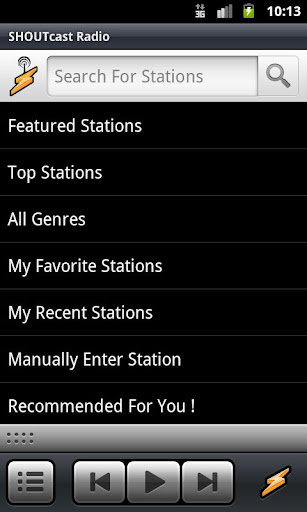
Winamp für Android bietet eine vollständige Lösung zur Verwaltung von Musik für Android 2.1 und aufwärts. Synchronisiere deine Musik aus dem Winamp Desktop Player über USB oder WLAN direkt auf dein Gerät. Importiere deine iTunes Bibliothek oder wähle eine von tausenden SHOUTcast Radiostationen. Mehr - http://www.winamp.com/android

"Ich war so beeindruckt, dass ich Winamp als einzigen Player verwende und alle anderen deinstalliert habe."
- Android Police

Neue Features:
* Premium Features über In-App Bezahlung freischalten (Pro Bundle)
* Synchronisierung mit Winamp für Mac Beta
* Berührungssensitive Albumcover Gesten
* Zugang zu mehr freier Musik über Spinner
* Kostenloses Anhören von Alben über CDLP
* Kopfhörer Verbesserungen

Pro Bundle - $4.99 In-App Bezahlung
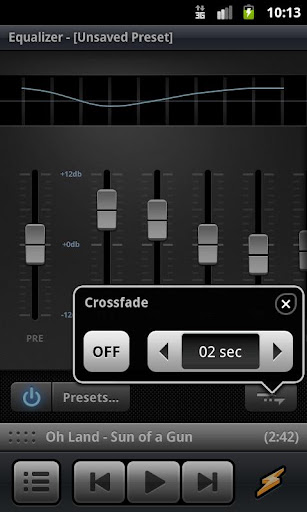
* 10-Band graphischer Equalizer
* Veränderbarer Startbildschirm
* Orderverwaltung
* Crossfade
* Gappless Playback
* FLAC Wiedergabe
* Replay Gain
* Persönliche Radioempfehlungen
* Widergabe von allen URLs
* Keine Werbung

Grundfunktionen:
* Synchronisierung über WLAN
* iTunes Bibliothek & Playlist Import
* Über 47.000 SHOUTcast Radio Stationen
* Einfach benutzbare Oberfläche mit ständiger Wiedergabeverwaltung
* Künstlerinformationen: Neuigkeikten, Biographie, Bilder, ...
* Extras Menü – Interaktion mit anderen Applikationen
* Albumcover Gesten zum Wechsel des Titels
* Kostenlose Musikdownloads über Spinner
* Kostenloses Anhören von Alben über CDLP
* Integration in die Android Suche und "Voice Search"
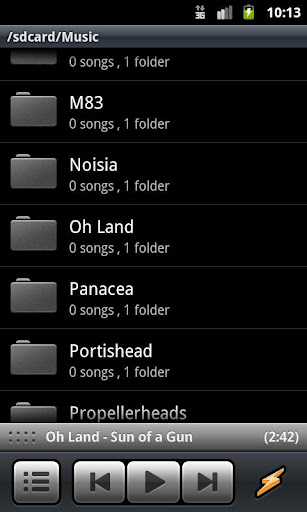
* Verwaltung nach Künstlern, Alben, Genres und Songs
* Playlists und Playlist Verknüpfungen
* Wiedergabeliste
* Widgets (4x1 & 4x2)
* Lockscreen mit Wiedergabeverwaltung
* Last.fm Scrobbling
* Verfügbar in 14 Sprachen


Advanced Task Killer - Free Download

Advanced Task Killer


Name: Advanced Task Killer
Entwickler: ReChild
Preis: For free at our blog!
Größe: 97k
Version: 1.9.7B92
minimale Android Version: 1.5 oder höher
Kategorie: Effizienz-Tools
Download: Look at the bottom of the page


Beschreibung:

*Uninstall and reinstall can fix Force Close issue*
*Uncheck 'Advanced Task Killer' from running list to avoid ANR issue*
*Go to menu and send bug report to us if you have any issues*
Advanced Task Killer is also known as ATK. It is a tool to kill applications running.
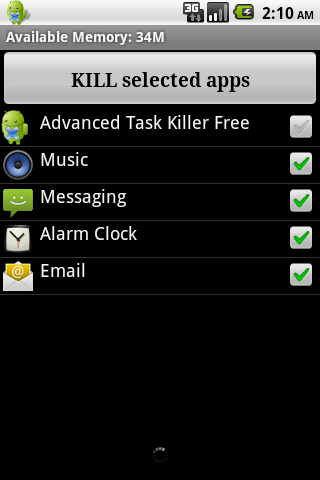
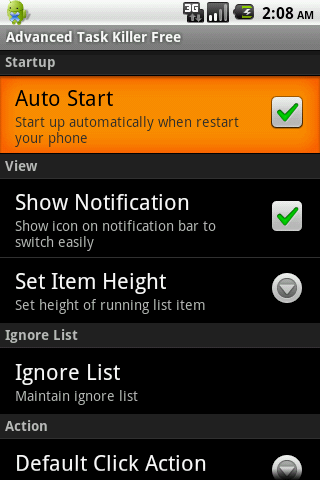
-Ignore List
-One tap widget
-Auto kill
-Customize item height

ATK is often used to kill app and clean memory. We do suggest people use ATK manually kill apps instead of auto killing app.

1. How to use it (for new users to quick start)?

ATK is pretty simple. Open this tool and take a look at the running applications list? Uncheck some apps you don't want to kill (such as Advanced Task Killer and some system apps) Tap the button 'Kill selected apps', it will kill all applications checked.

2. How to use it (for new users to do more)?

If you don't want to kill any app, you can tap it on the running applications list. Then it's checking box will turn to gray.

3. Why there are app running that I haven't used or even opened?

Some app will start up once you turn on your phone or be invoked by some evens.

4. What is ignore list/ignore?

Ignore list is for you to ignore some app you don't want to kill. If you long press on the app listed on the main screen of ATK, the menu will pop up, then you can select 'Ignore', the application would be moved to ignore list. When you tap 'Kill selected apps', it won't be killed any more.

5. What is default action for long press?

You can set your default action for long press and click on the settings. The system default action for long press is pop-menu. That means you when you long press on the application(displays on the running applications list), a pop-menu would shows up. For example, if you want to switch to the application after you long press on it, you can set the default action of long press to 'Switch to'.

6. Why I lost my network connection after I tap 'kill selected apps'?

This is because some apps related with network connection are killed. Such as 'voicemail'. You can ignore it instead of killing it.

7. Why my Home reloaded?

This is because some apps related with Home are killed. Such as 'HTC Sense', 'Mail'(if it is integrated with Home). You can ignore it instead of killing it.

8. Why I cannot receive notification of Email?

This is because you killed 'Email'. Instead of killing it, you need to ignore it.

9. What is Auto Kill?

If you want to kill apps automatically you need to choose one of auto-kill level

- Safe: Only kill the apps aren't running but still consume memory.

- Aggressive: Kill the apps running background and apps aren't running.

- Crazy: All apps except for apps you are using with.

You should be able to see Auto Kill information shows on the title, like 'Auto-Kill: 12:20'. That means auto kill will start at 12:20, you can also change the frequency to impact the auto kill start time.

App killer is only a tool to kill apps and task. It won't help your battery directly. But if you kill any app which consume battery a lot, you might think app killer is helping your battery.
Advanced Task Killer Pro is paid version which doesn't contain ads.
KW: taskiller taskkiller task killer taskmanager manager panel taskpanel process app killer, task killer pro


Anleitung: Diablo III kostenlos Downloaden


In diesem Artikel möchten wir euch vorstellen, wie man kostenlos Diablo III download kann. Der Trick ist gratis und wer nicht dumm ist und bedarft handelt, der läuft auch keine Gefahr Stress zu bekommen.

Der Download von Diablo 3 ist möglich, jedoch wird auch ein Aktivierungs-Sicherheitsschlüssel benötigt. Jenen könnt ihr mit einem Keygen erzeugen lassen (Keygen ist die Kurzschreibweise von Key-Generator).

Einen solchen Aktivierungsschlüsselgenerator erhaltet ihr auch jetzt schon auf wenigen Homepages zum Download. Alternativ zu einem Aktivierungsschlüsselgenerator-Programm sind die sogenannten Diablo 3 Online-Keygens. Hier wird der Schlüssel unmittelbar auf einer Seite  erstellt und ihr braucht euch keine Sorgen machen, Badware zu laden.
Ganz sauber ist das sicher nicht, aber es ist möglich. Keygenerator findet ihr zum Beispiel auf Superlevel oder hier. Herunterladen könnt ihr Diablo III ohne etwas zu bezahlen, also umsonst, von dieser Webseite.

Trick: kostenlos Diablo III Battlenet Account erzeugen


Erstelle dir schnell  noch gratis deinen Battlenet  Account auf unserem Dienst und zocke Diablo III ohne Kosten. Diese Möglichkeit ist einzigartig und du wirst so etwas ausschließlich auf unserer Seite sehen. Denn  ausschließlich hier bekommst du sicher und vorallem schnell deinen Battlenet-Account, denn wir sind im Besitz des ersten, und unseres Wissens nach einzigen,  Keygen für Diablo III.
Wenn du nicht nur for free einen Diablo III  Schlüssel erhalten möchtest, sondern auch noch die Spieldaten brauchst, findest du Diablo III auch zum gratis Download bei uns.
Donnerstag, 24. Mai 2012

嘸蝦米輸入法 正式版 - Free Download

嘸蝦米輸入法 正式版


Name: 嘸蝦米輸入法 正式版
Entwickler: 行易有限公司 Boshiamy C&C Ltd.
Preis: 5,32 € For free at our blog!
Größe: 2,0M
Version: 2.3.01
minimale Android Version: 1.6 oder höher
Kategorie: Tools
Download: Look at the bottom of the page


Beschreibung:

注意:

由於近日常有使用者反應無法在 Market 上搜尋及購買嘸蝦米輸入法,為避免 Market 付費機制的不確定性及維護使用者的權益,我們已提供全新的官網付費平台。

您可先至 Market 上搜尋免費的「嘸蝦米輸入法」,該版本提供 30 天完整功能試用期,試用期間可隨時透過官網付費升級為正式版,歡迎多加利用。

這兩個版本功能完全相同,已購買此 $6.99 之版本的使用者可正常更新,權益不受影響。

如您希望轉移您的授權帳戶至官網付費版本,亦可透過官網客服系統與我們聯絡。

官方網址介紹頁面:http://boshiamy.com/android


Audio Cambridge Advanced - Free Download

Audio Cambridge Advanced


Name: Audio Cambridge Advanced
Entwickler: Mobile Systems
Preis: 17,99 € For free at our blog!
Größe: 1,2M
Version: 3.2.105
minimale Android Version: 2.0 oder höher
Kategorie: Bücher & Nachschlagewerke
Download: Look at the bottom of the page


Beschreibung:

Cambridge English dictionary with over 70,000 words, phrases and examples.

The Audio Cambridge Advanced Learner's Dictionary provides definitions for about 170,000 words, phrases and examples and is compiled to offer what learners need most in a dictionary.

The Third Edition offers new, up-to-date vocabulary (e.g. sex up, speed-dating, whiteboard), new 'mini-collocation' boxes, and new frequency information to highlight the most important words to learn. The new Cambridge Advanced Learner's Dictionary gives you everything you need to learn English and pass exams!

Over 170,000 words, phrases and examples

* Over 79,800 high-quality English audio recordings with UK and US English pronunciations compiled and recorded by Cambridge University Press
* You will find newly added Illustrations and photos to illustrate the word definitions.
* Common grammar and style and usage labels included
* Examples included in the word definitions show you how to use words in the most natural and fluent way.
* All the important new words that have come into the language (e.g. dirty bomb, lairy, 9/11, clickable)
* Only words from a defining vocabulary used to help make definitions easy to understand
* Over 90,000 examples, mainly full sentences, show you how English is used in context and help you write natural English.
* 25,000 collocations show the way words work together in English
* Automatic recognition of inflected forms

The MSDict Dictionary Format

The Cambridge Advanced Learner's Dictionary is here presented in MSDict electronic format. MSDict offers best experience in mobile reference and is available for any handheld platform.

* Quick dynamic search of words while you type
* Transcriptions facilitating pronunciation
* Hyperlinks between different related words
* History to see the last 50 words you have looked up
* Support for memory cards
* Filters to help you locate the word you are searching for:
o Fuzzy filter- used when you are not sure of the correct spelling of a word
o Keyword-used to locate the instances of a key word within other compound words
o Wild card - "?" and "*" replace a letter and group of letters in words
* Fast article scrolling
* Ability to have dictionary Word of the day as a widget on the phone home screen
* Ability to search words in the installed dictionaries through the standard phone search feature